BREAKING: A new video tutorial from renowned photographer Möhrle is transforming the way landscape photos are edited in Lightroom. Released earlier today, this guide unveils essential masking techniques that can elevate flat images into dramatic, memorable landscapes – and it’s a must-see for photographers eager to enhance their editing skills.
In this urgent update, Möhrle emphasizes the importance of meticulous cleanup before diving into creative edits. He demonstrates how to utilize Lightroom’s Remove tool with the dust option, effectively eliminating sensor spots that could detract from the image’s impact. By employing generative AI to remove distractions, he shows viewers how to focus on the mood of the scene without getting bogged down by tedious tasks.
The tutorial highlights a crucial step that many skip: cleaning the file to avoid discovering unwanted blemishes after investing time in color and contrast adjustments. Möhrle’s method not only saves time but also ensures a cleaner canvas for creative expression.
Next, viewers will learn how to build a dark, low-contrast base in the Basic panel. Möhrle lowers exposure and pulls highlights down to create a controlled atmosphere, while still maintaining detail in the whites and shadows. He strategically warms the global white balance, setting the stage for cooler tones in specific areas with targeted masks.
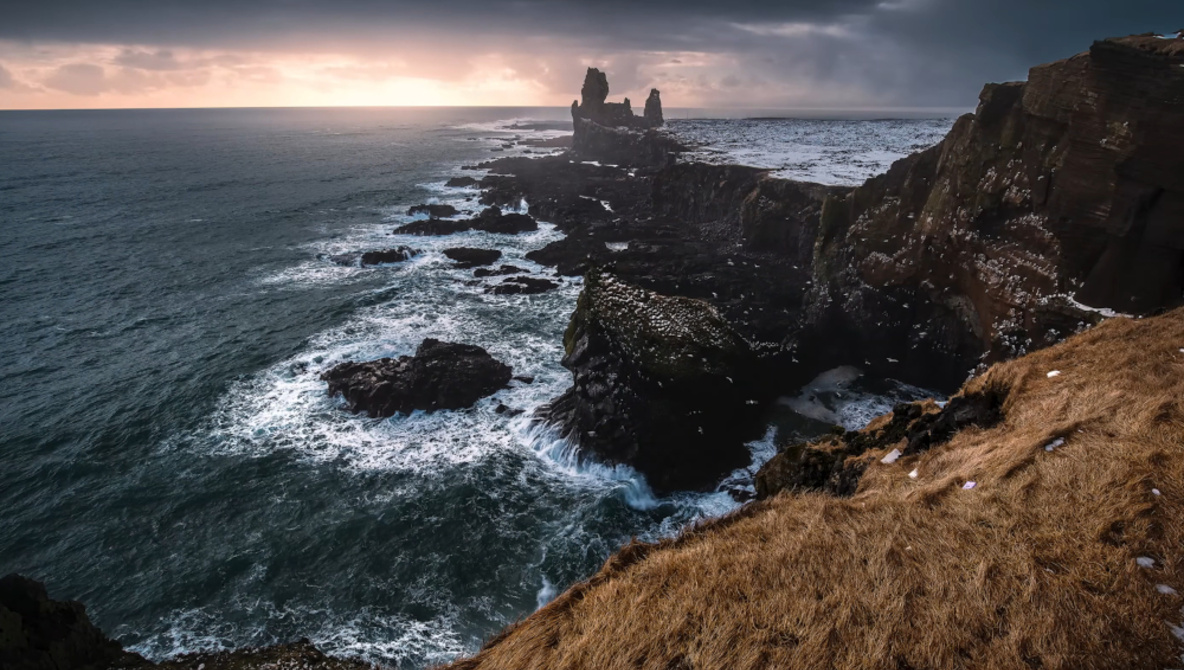
As the video progresses, Möhrle dives into the heart of the tutorial: leveraging Lightroom’s masking tools to separate the landscape into distinct areas for precise lighting control. He utilizes Landscape masks to enhance foreground vegetation, boosting clarity and brightness to draw the viewer’s eye into the scene.
For the sky, he creatively builds stacked linear gradients, cooling and darkening the upper sky while maintaining natural hues. Möhrle suggests that this approach can be applied to various images, allowing photographers to manipulate light and shadow as shapes rather than relying solely on global sliders.
Each element of the landscape is treated with care; Möhrle targets specific features like rock faces and fast-moving water with dedicated masks. He enhances the rocks for clarity and brightness, ensuring they contrast sharply against the soft background glow. The water is darkened for added depth, while cooler temperatures and extra saturation bring out vibrant blue tones.
To further refine the image, Möhrle uses the Color Mixer and split toning to adjust oranges, yellows, and blues. He finishes by sharpening key details without compromising the softer areas, ensuring the overall composition remains compelling.
The insights shared in this urgent tutorial promise to revolutionize how photographers approach landscape editing. With practical tips and innovative techniques, Möhrle empowers both amateurs and professionals to create striking visual narratives.
Check out the full video tutorial above to elevate your Lightroom skills immediately! Don’t miss out on this opportunity to transform your photos into captivating works of art.