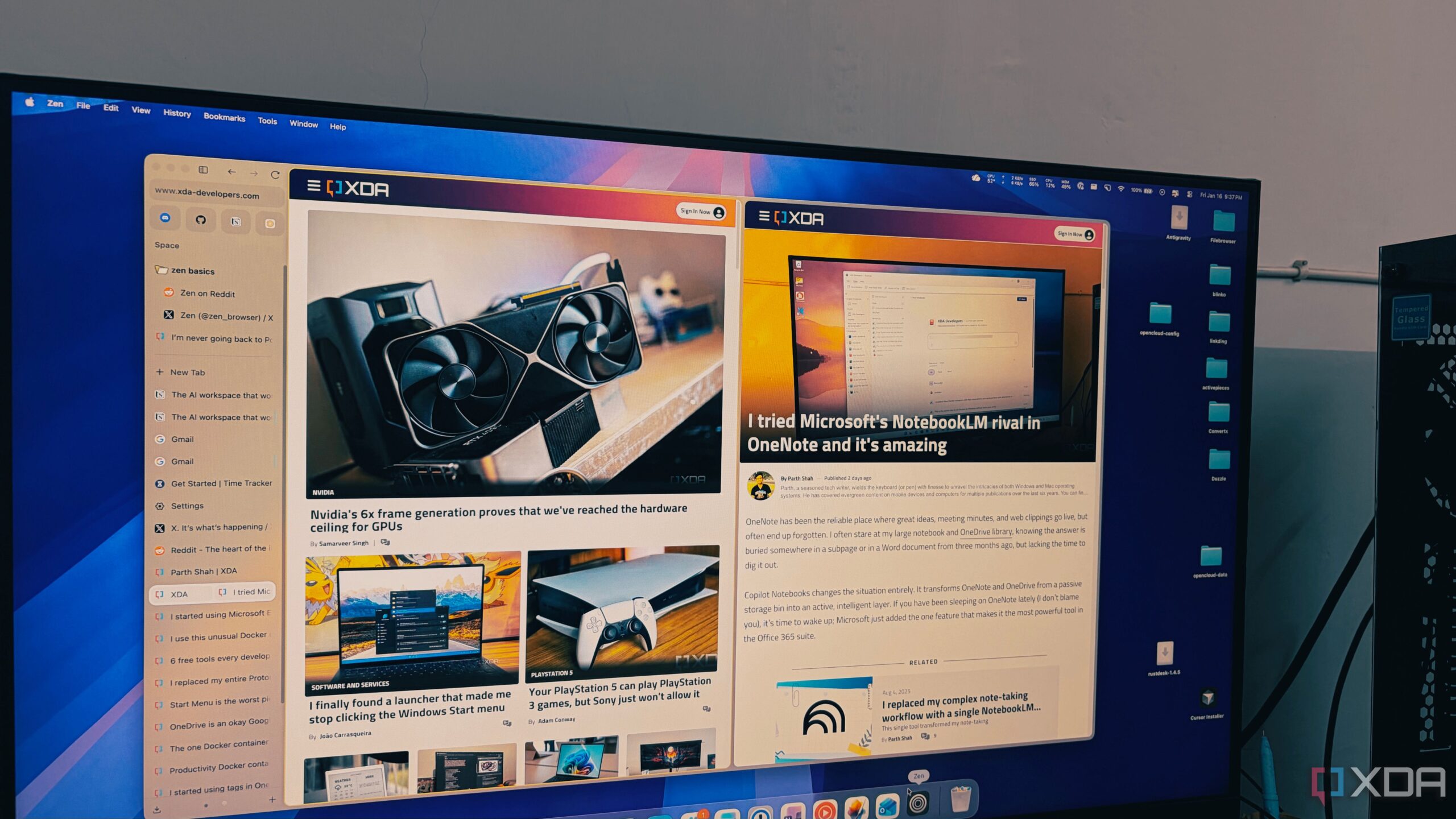
The Zen Browser has emerged as a significant alternative for users overwhelmed by tab management, particularly those who regularly juggle multiple research sessions. Unlike traditional browsers such as Google Chrome, which can struggle with performance when numerous tabs are open, Zen promises a smooth experience, even with over 100 tabs active.
Innovative Design and Functionality
Zen Browser distinguishes itself by utilizing a foundation built on Firefox, combined with a unique minimalist design that enhances user productivity. While many browsers on the market are variations of Chromium, Zen focuses on a vertical tab layout, allowing users to manage extensive sessions without feeling overwhelmed. This design choice addresses a common issue that many users face: the shrinking icons and clutter that often come with a horizontal tab arrangement.
With a simple vertical orientation, Zen allows users to view the full titles of their tabs, making navigation more intuitive. Users no longer need to rely on memory to locate their research materials, as the vertical list effectively acts as a live table of contents. Furthermore, the browser features an auto-hide sidebar option, creating an uninterrupted browsing experience that maximizes screen space.
Enhanced Productivity Features
Zen Browser introduces several productivity tools that cater specifically to users with heavy tab usage. One standout feature is the “Essentials” section, where users can pin essential applications such as WhatsApp, Gmail, and Slack. Unlike typical pinned tabs, these icons remain prominent, enhancing quick access without the risk of getting lost among temporary research tabs.
In addition to Essentials, Zen offers customizable Workspaces, allowing users to separate different projects. For example, users can create distinct environments for tech writing, personal tasks, and home management. This organizational structure prevents the chaos that often arises when multiple projects overlap.
Zen also leverages Firefox’s container technology, enabling users to manage multiple accounts seamlessly. For instance, users can stay logged into both personal and work Google accounts within the same browser window without data interference. Each container is color-coded for easy identification, further simplifying the browsing experience.
Performance and Resource Management
One of the most notable aspects of Zen Browser is its performance, particularly when compared to its competitors. Many browsers tend to slow down significantly as the number of open tabs increases, often leading to frustrating user experiences. Zen operates on the Gecko engine of Firefox, which is designed to allocate resources efficiently.
Users have reported that even with large sessions involving numerous background tabs, Zen maintains a responsive and snappy performance. This efficiency allows a seamless experience, keeping laptop fans quiet and systems running smoothly, even under heavy loads.
For those who have felt constrained by traditional browser designs, the Zen Browser presents an appealing solution. It embodies a combination of high-end productivity, minimalist aesthetics, and the open-source ethos of Firefox. As users navigate an increasingly complex digital landscape, Zen stands out as a browser that adapts to their needs rather than forcing them to adapt to outdated tab management systems.
As the landscape of web browsing continues to evolve, Zen Browser is positioned as a tool that not only meets the demands of modern users but also enhances their overall online experience, making the internet feel organized and efficient once again.