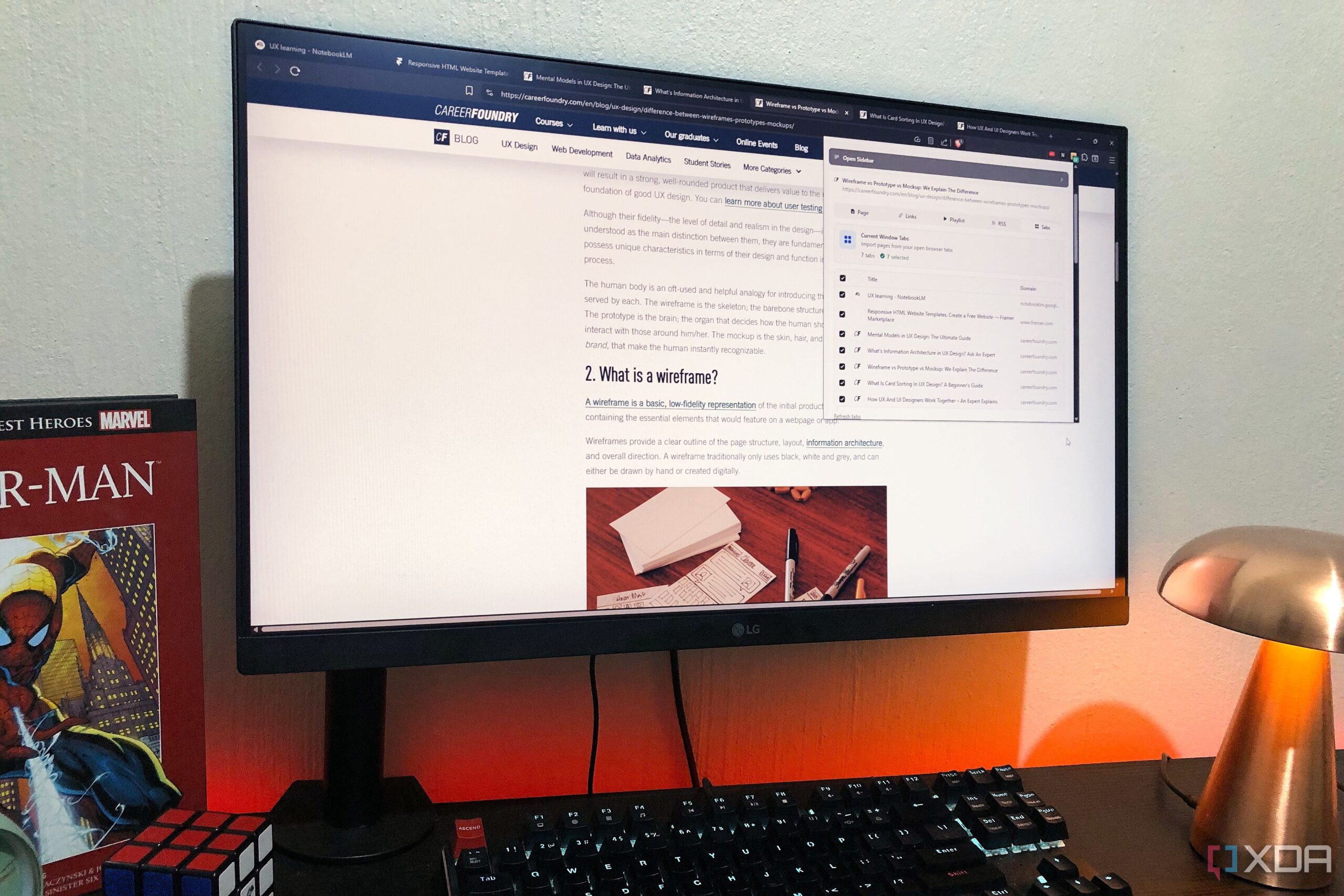
NotebookLM has introduced a new browser extension, NotebookLM Tools, designed to enhance user experience by simplifying the process of adding sources to its platform. This extension addresses the common challenge of manually entering web pages, allowing users to efficiently compile research materials directly into their notebooks without the repetitive task of copying and pasting URLs.
Enhancing Research Efficiency
NotebookLM Tools operates seamlessly across all Chromium-based browsers, including Brave. Users need only to install the extension and sign into their NotebookLM account to access its features. The basic version is free and includes essential functionalities, such as the ability to handle bulk sources. This extension aims to simplify the process of incorporating large amounts of information into NotebookLM, which can often be cumbersome for users managing extensive research projects.
The extension includes several key features that significantly enhance productivity. For instance, users can add the current webpage to a new or existing notebook with just a click. The “Links” function enables users to extract all hyperlinks from the current page, making it easier to gather relevant information quickly. Additionally, users can import YouTube playlists and sources directly from their RSS feeds, allowing for a more comprehensive collection of materials.
A standout feature is the “Tabs” function, which detects all currently open tabs in the browser, enabling users to add multiple pages to their notebook at once. This capability is particularly useful for individuals who frequently work with numerous sources and need to curate their research efficiently.
Organizational Capabilities
Beyond simply adding sources, NotebookLM Tools provides enhanced organizational features that allow users to manage their notebooks more effectively. The extension includes a dedicated interface where users can tag and categorize their materials, a functionality that has been long-requested by NotebookLM users. This tagging system allows for easier retrieval of specific information, ensuring that users can find what they need without hassle.
Moreover, the extension’s full interface allows users to inspect their notebooks comprehensively, including the ability to view all sources, prompts, responses, and generations associated with each notebook. This feature provides a transparent overview of the research process, making it easier to track progress and organization.
In addition to these features, NotebookLM Tools offers customization options through its settings window, allowing users to adjust how the extension interacts with their browser. Users can specify whether the extension opens automatically and where it is located within the browser, tailoring the experience to fit their workflow.
In summary, NotebookLM Tools significantly improves the research experience for users by streamlining the process of adding and organizing sources. This extension not only makes it easier to collect information but also enhances the overall functionality of NotebookLM. As research demands grow, tools like NotebookLM Tools become essential in helping users manage their projects more effectively.